back
UW Boundless Access
Ideating a solution for people with physical disabilities at the University of Washington to share and access accurate and up-to-date information about campus accessibility.
★
Overview
Created as an introduction to the University of Washington’s Human Centered Design and Engineering Masters program. UW Boundless Access is a conceptual prototype centered around helping students with physical disabilities to navigate the University of Washington campus.
Role
Lead UX Designer
Timeline
october - december 2023
Tools
FIGMA, ADOBE ILLUSTRATOR, ADOBE PHOTOSHOP
Problem
Throughout the initial research and subsequent interviews, it became evident that there was a notable absence of precise and centralized accessibility information. Additionally, there was insufficient communication between University of Washington affiliates with physical disabilities and the college administration, as well as a lack of a centralized platform for students and faculty to address accessibility issues around the university.
Impact
The lack of accessible information creates barriers for UW affiliates with physical disabilities, hindering seamless navigation and discouraging active engagement with the campus.
Goal
To create an all-in-one resource where UW affiliates with physical disabilities can access accurate, up-to-date information about accessibility on the University of Washington Seattle Campus and interact with one another.
Research
The research process involved using surveys, interviews, and a cross-cultural comparison to investigate the challenges faced by individuals with physical disabilities. Initially, our team conducted a cross-cultural comparison with George, a 22-year-old quadriplegic at MSU. His reliance on ADA resources highlighted the need for a community-sharing platform. Subsequently, we distributed a survey across various channels within the University of Washington, including Slack and personal messaging groups, to our primary stakeholders, gathering comprehensive insights. From there, my team exclusively recruited UW affiliates with physical disabilities for 1:1 Zoom interviews to gain a detailed understanding of their experiences on campus.
Findings
Based on our interviews and surveys, the majority of our participants emphasized the challenges of accessing accurate, accessible information on campus. These challenges were attributed to ineffective maps, lack of clear way-finding, and centralized communication, which resulted in increased reliance on word-of-mouth information from peers. When it came to technology, participants generally preferred familiar and easy-to-use tools such as Google Maps for maps and navigation. In summary, participants expressed the need for improved mapping tools, a student-run all-in-one resource hub for individuals with invisible health conditions, enhanced mapping tools with safety considerations, and featured group chats to facilitate the sharing of experiences among those with similar conditions on campus.
Key Findings
There is a strong desire among UW affiliates for inclusive university support, emphasizing the importance of support regardless of the visibility of health conditions. Limited accessible and accurate information makes personal connections the primary source for essential details, highlighting the importance of enhancing systems.
UW affiliates express a strong desire for a connected community, seeking to share experiences with peers who face similar challenges beyond guidance, highlighting the importance of a supportive network to foster understanding and collaboration. Many turn to peers for crucial information due to a lack of comprehensive and current resources.
Reporting accessibility issues is challenging due to a scattered process across multiple platforms, emphasizing the need for a simple and streamlined reporting system.
Navigating the campus poses significant risks for those with physical disabilities, especially in power wheelchairs, particularly during extreme weather conditions that may compromise power controls. This highlights the crucial need for clear way finding, improved mapping tools, and enhanced safety measures to ensure a secure and accessible environment for everyone.
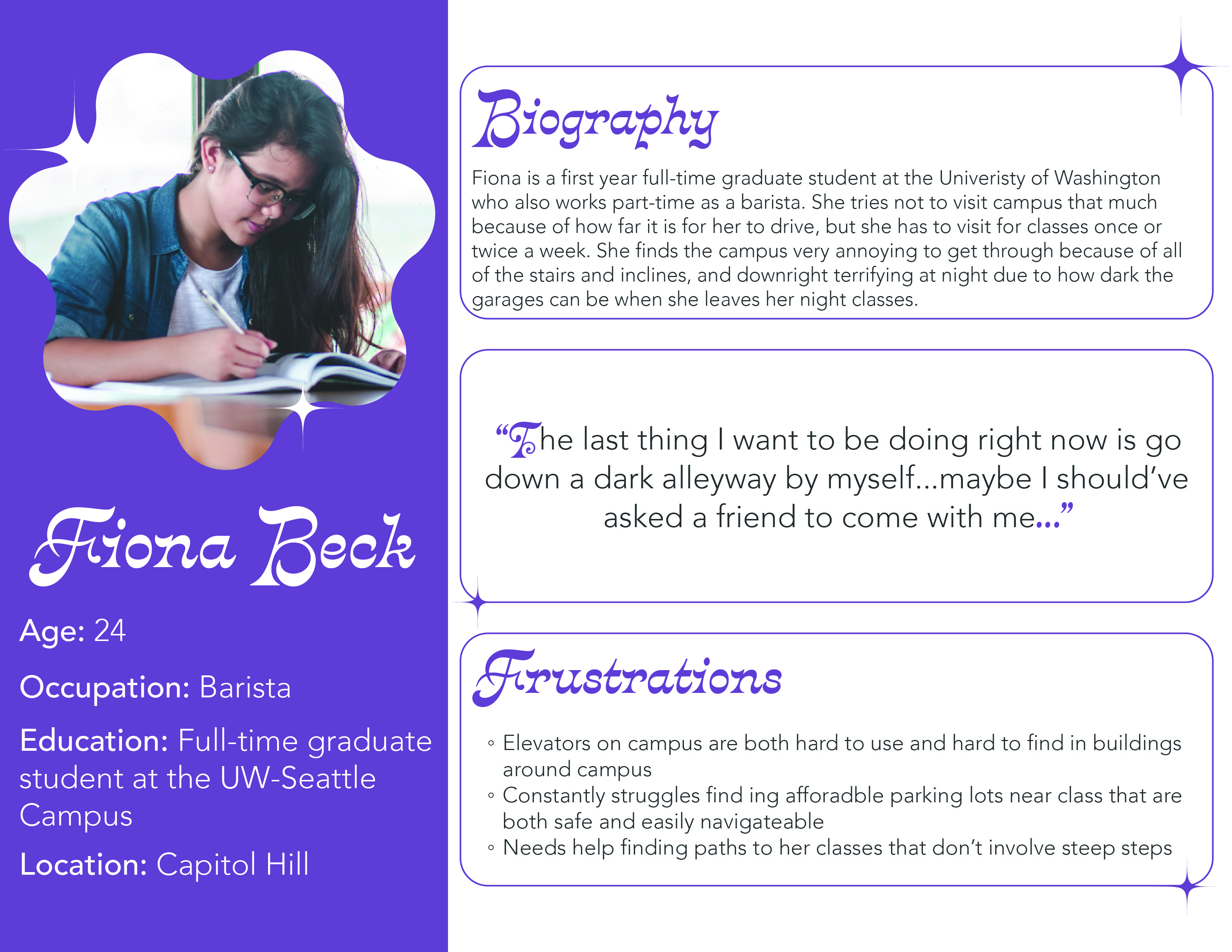
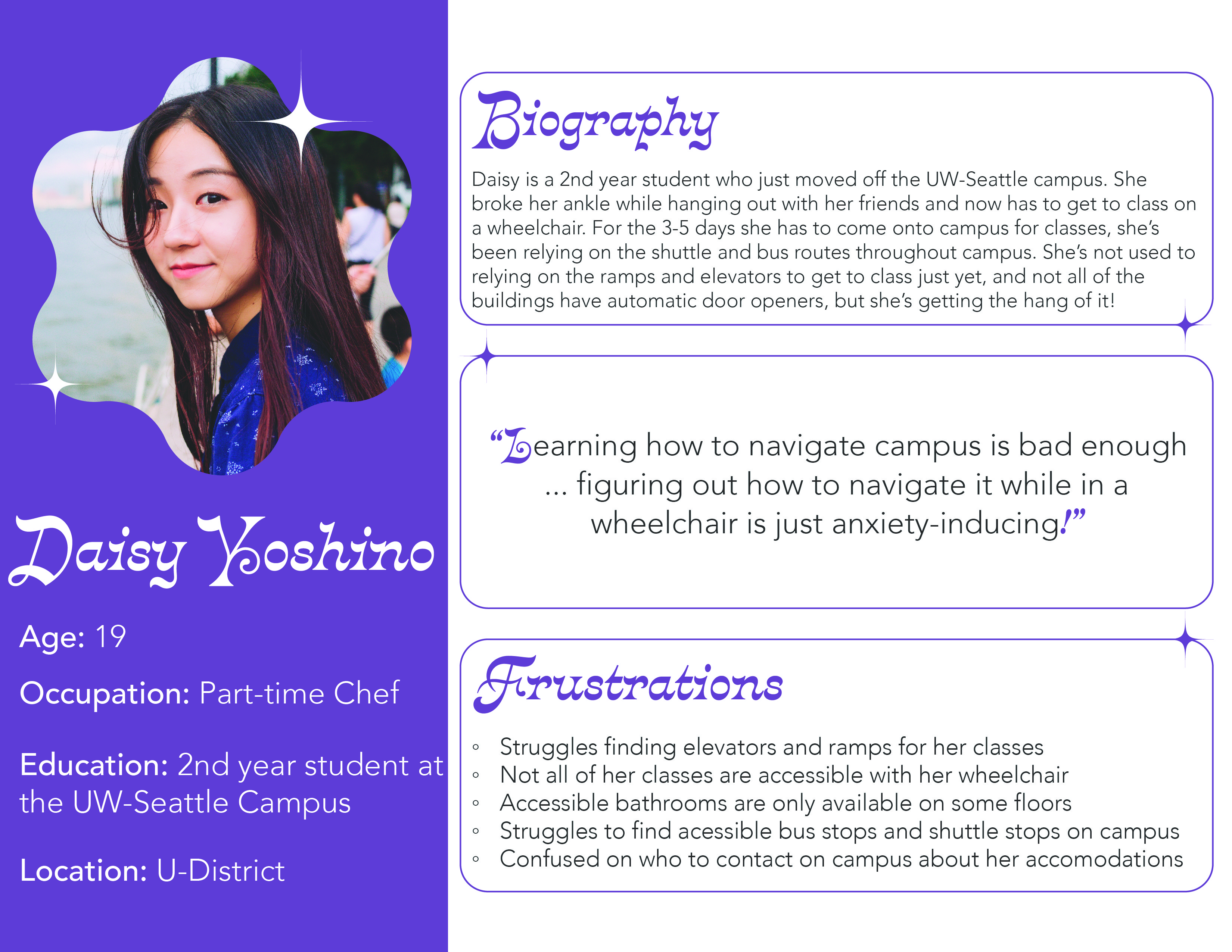
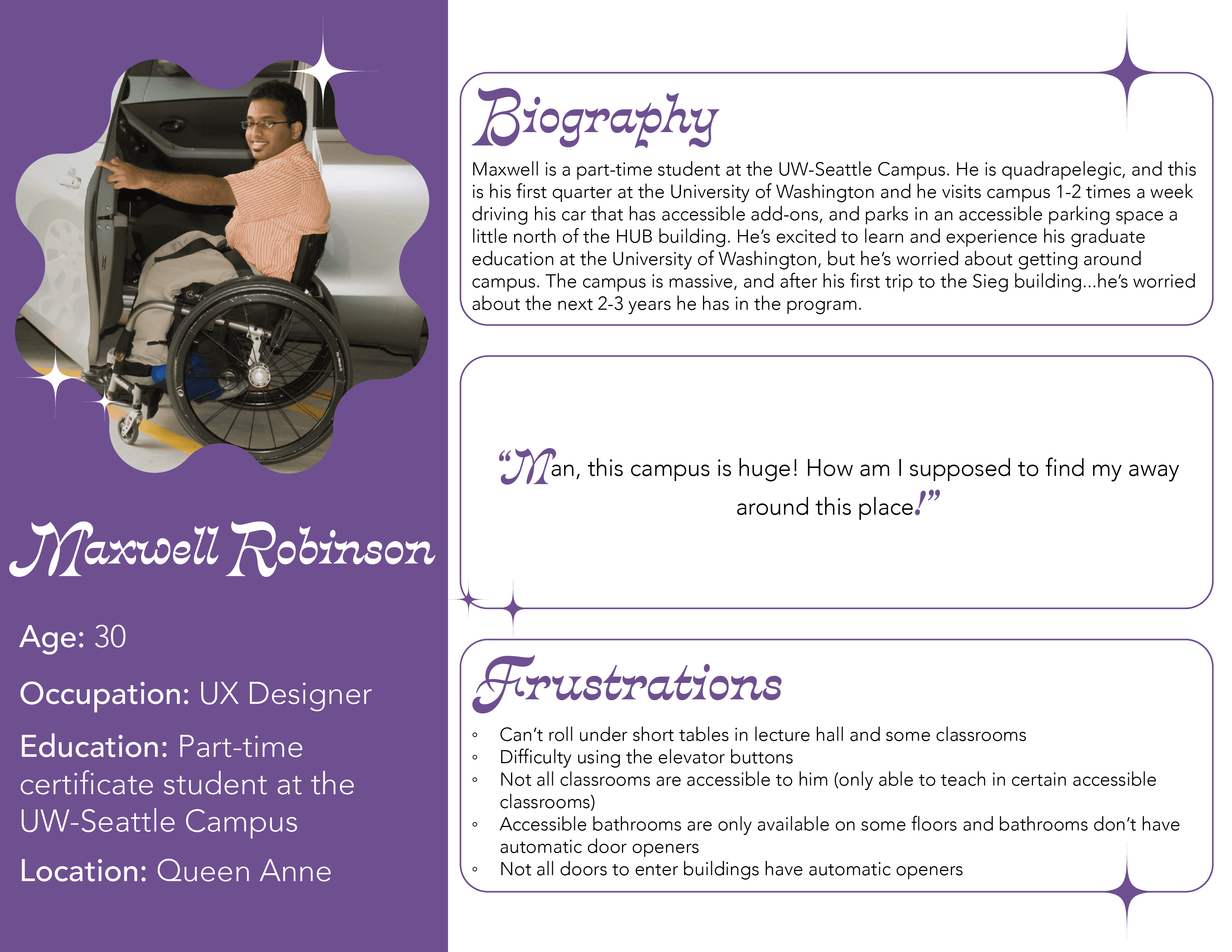
Personas
Ideation
Conceptual Development
Over the course of a week, our team progressed from simple ideation sketches to focus on our desired project. Initially, we brainstormed a variety of ideas related to the question, "How can we share information about campus accommodations?" This exercise led to the creation of six sketches per person, resulting in a total of 24. Subsequently, we carefully analyzed these sketches and narrowed down our options to three. As we approached the deadline, we opted to display all of our ideas on a board and straightforwardly discuss our viewpoints. We aimed to understand the preferences of the users as opposed to our own preferences. Furthermore, we evaluated the design elements that lend themselves to testing and iteration, considering our time constraints, and identified elements that seem too complex to develop. Ultimately, we chose to pursue a dual project—a comprehensive website that aligns with stakeholder preferences as gathered from our interviews, while also integrating the concept of incorporating everyday items that University of Washington students, such as ourselves, would commonly have on hand, the Husky ID.
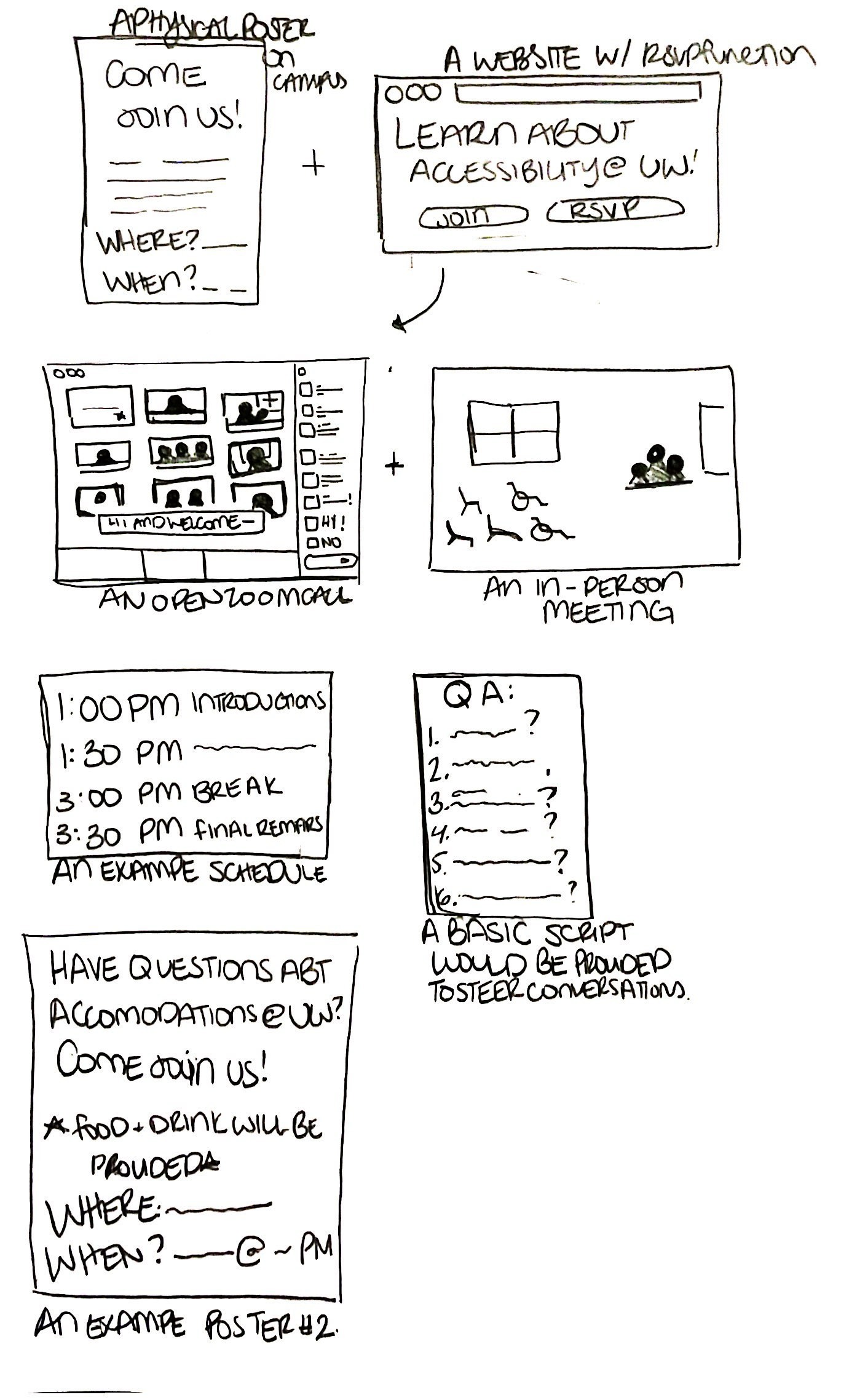
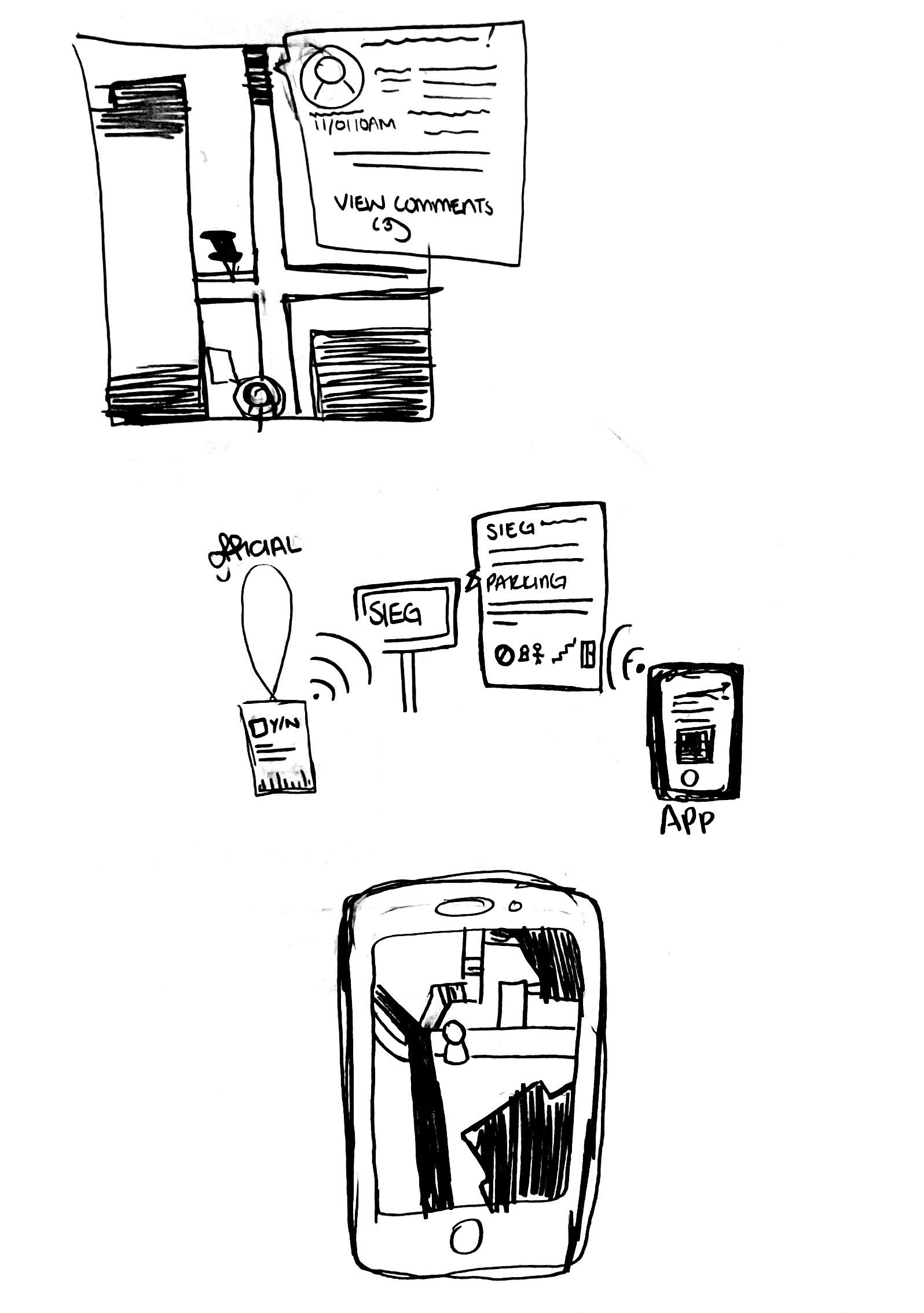
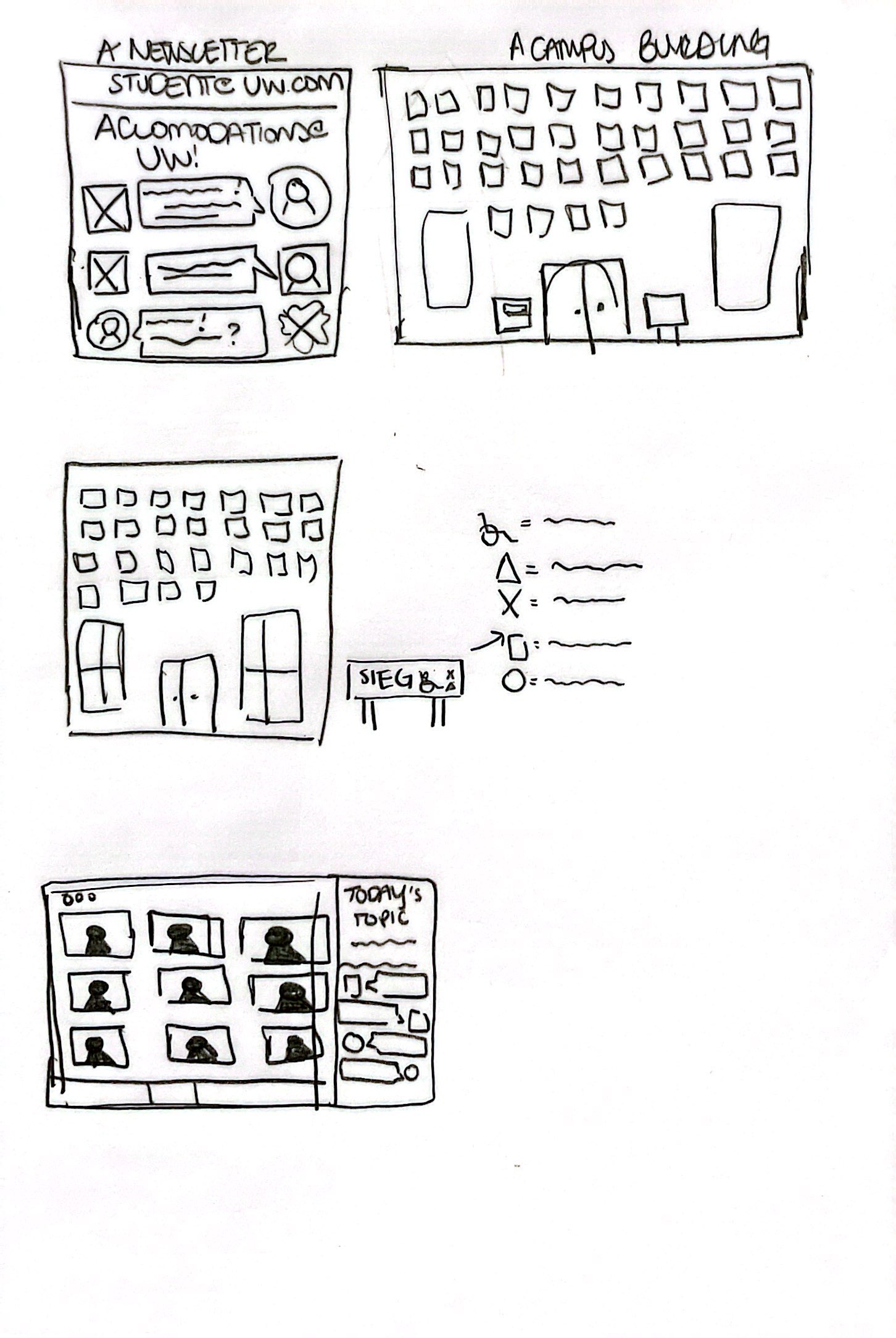
Developmental sketches
Prototype
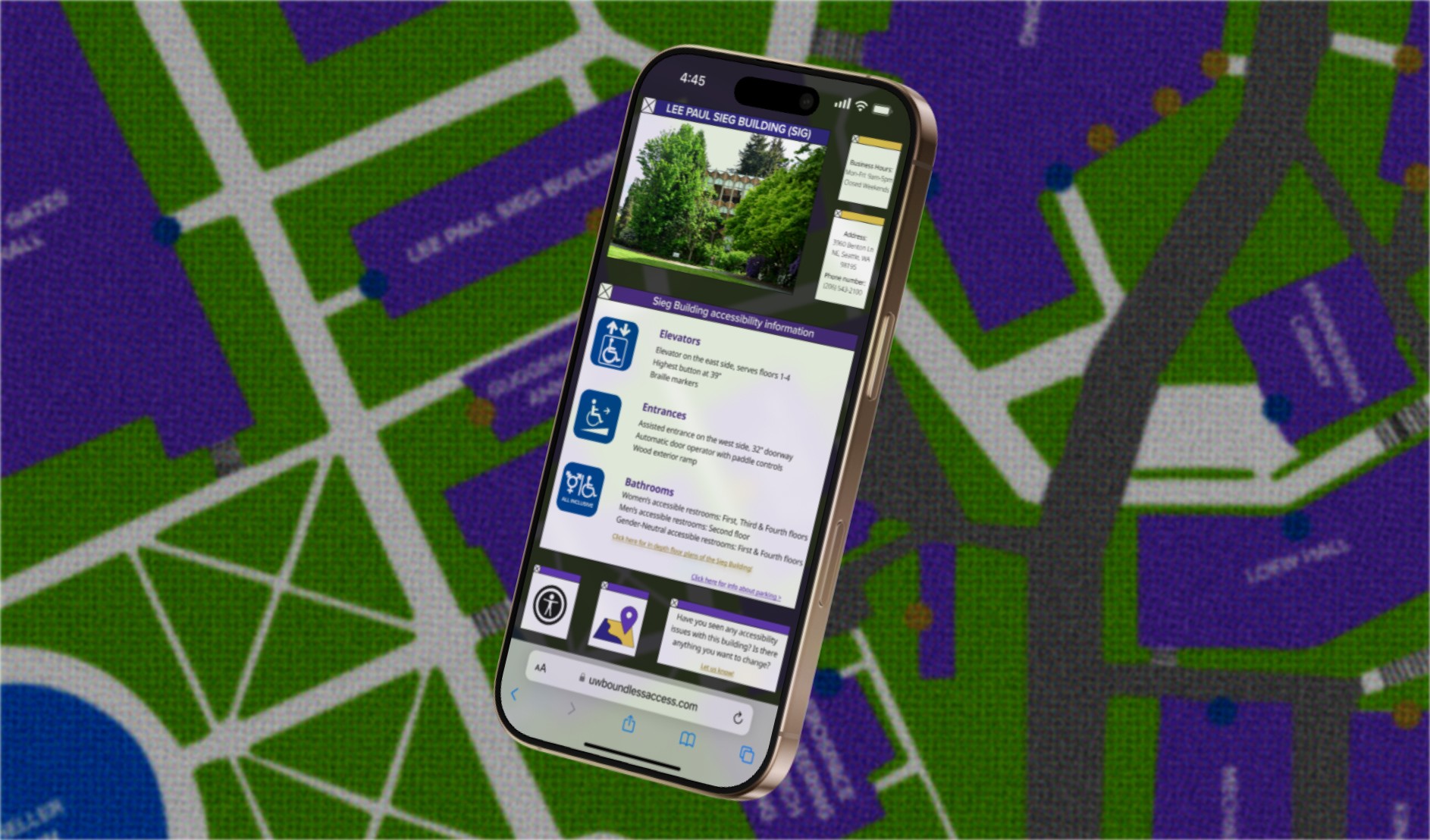
In developing the prototype, I primarily utilized Figma to create initial wireframes and low-fidelity prototypes that mirrored the original screens of the map, showcasing how users could access information about specific buildings' accessibility features. The prototype centered on the Sieg Building, a frequently visited structure within the Human Centered Design and Engineering program. This focus was chosen due to our regular access to the building and our desire to learn more about its accessibility features.
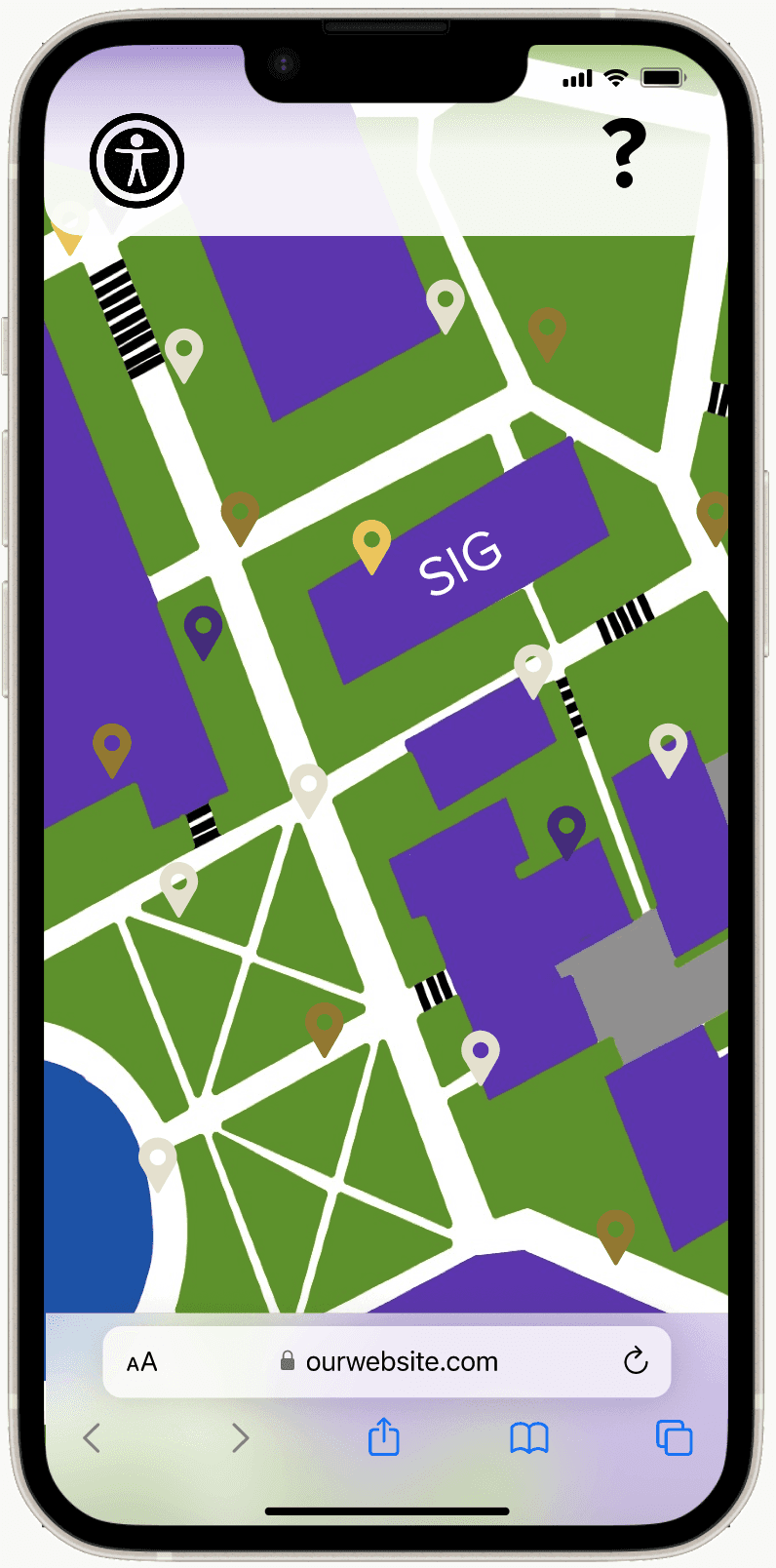
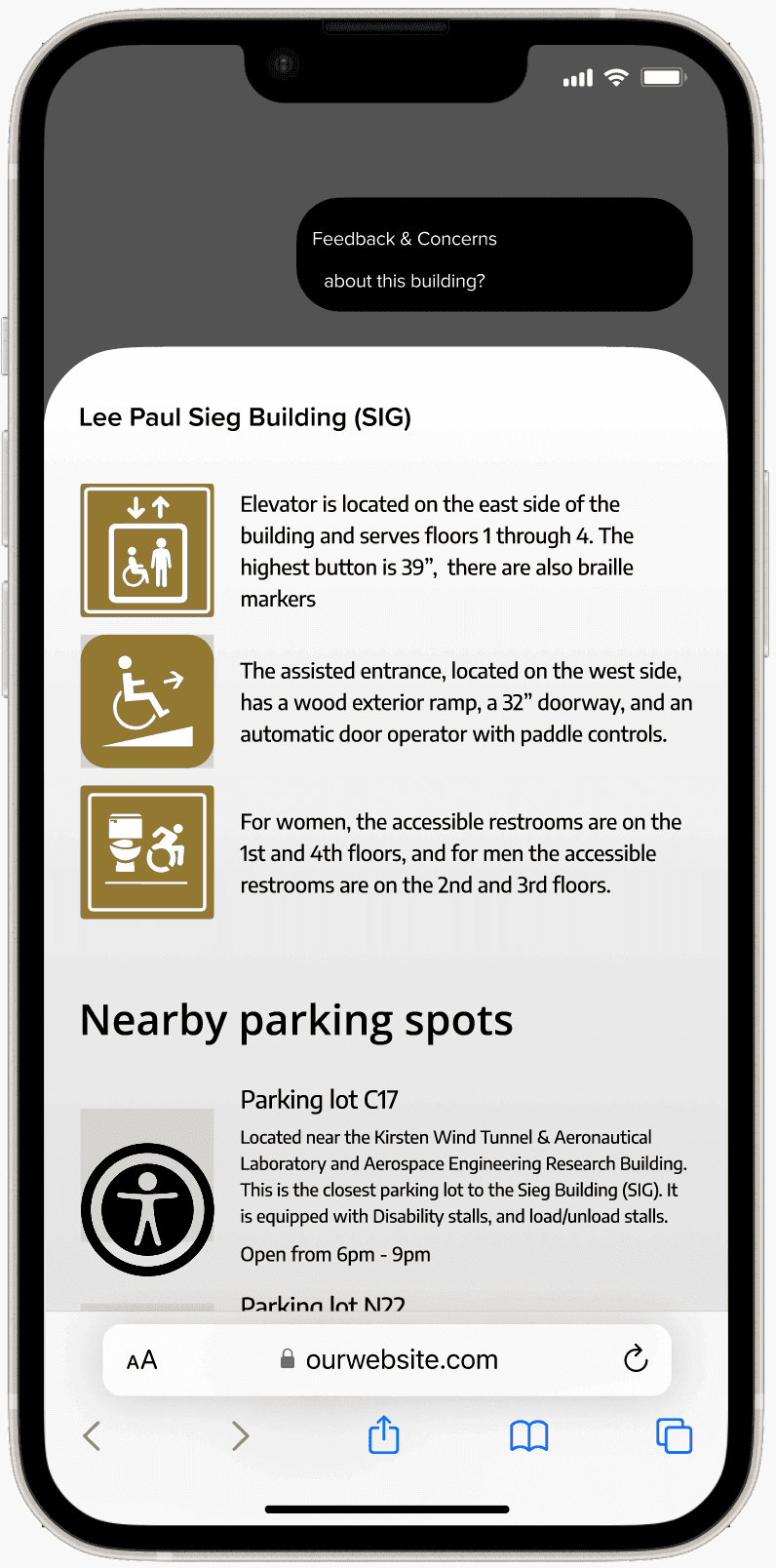
Medium Fidelity Prototype
Usability Studies
Testing Methods
For our usability studies, my team was able to find 3 students who were willing to test both the physical and digital interactions of our prototype. Each of our participants walked through different user flows, testing as many different interactions in our prototype as possible.
The Participants
Our first participant was a competitive athlete from a young age. They are diagnosed with Multiple Sclerosis (MS), and the MRI shows they are quadriplegic but challenges this characterization. They sponsor capstone projects at the university and participate in campus activities several times a year. Their businesses are centered around health and fitness. This participant participated in two user flows on our digital prototype: to evaluate the ease of navigating and accessing accessibility information for a specific building and to assess the simplicity of real-time information sharing within the interactive campus map. Our second participant was a PhD student at the University of Washington studying Sociocultural Anthropology specializing in Medical Anthropology. They attend UW every day and have used a wheelchair for the past year and a half, having previously used a walker or cane. We assigned this participant with one user flow on our digital prototype to assess the functionality of our feedback system design. Their task was to navigate through the process of submitting feedback about a broken accessible restroom, allowing us to evaluate the effectiveness of this feature. Our final participant participated in our physical prototype testing, focusing on assessing the tap feature of the RFID technology integrated into the Husky card. Using a heavy cooler as a prop, we simulated the “tap” by sending them an airdrop notification and redirecting them to our digital prototype. This setup allowed us to comprehensively evaluate the user experience and comfort level of the RFID tap feature in conjunction with the website functionality.
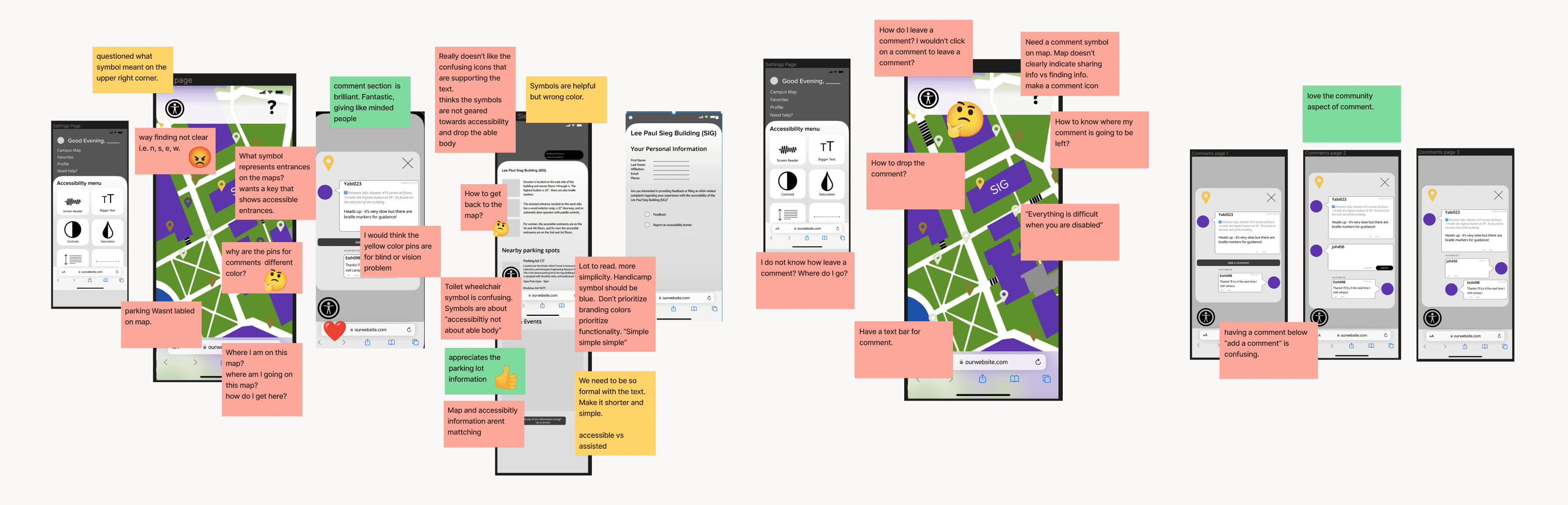
Key Findings
2 of 3 users struggled to easily navigate the map and understand the different markings.
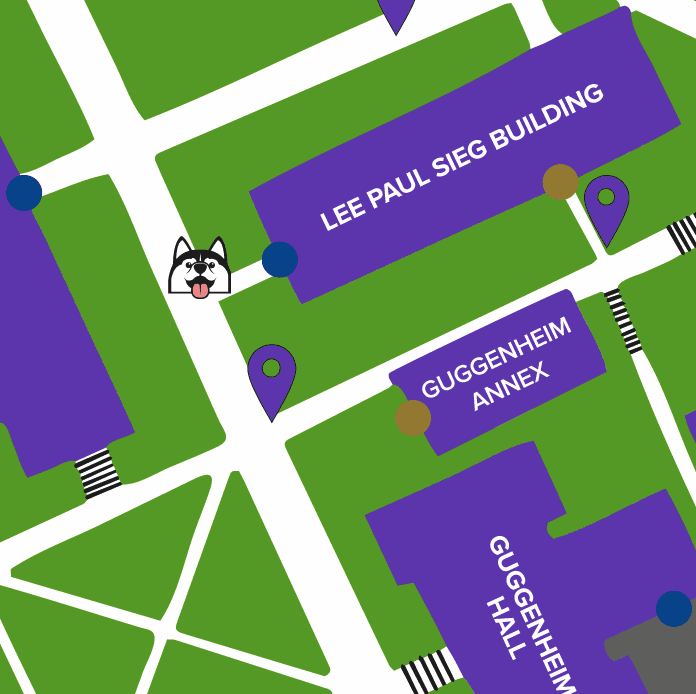
Participants 1 and 2 expressed difficulty with our map functionality, particularly surrounding the lack of proper way-finding and locating both themselves and the comments they created. For example, Participant 1 said “Where am I on this map? Where am I going on this map? How do I get here?”, as our medium-fidelity prototype did not have a proper icon to denote where you are. There was also a confusion surrounding how users would be able to locate their own
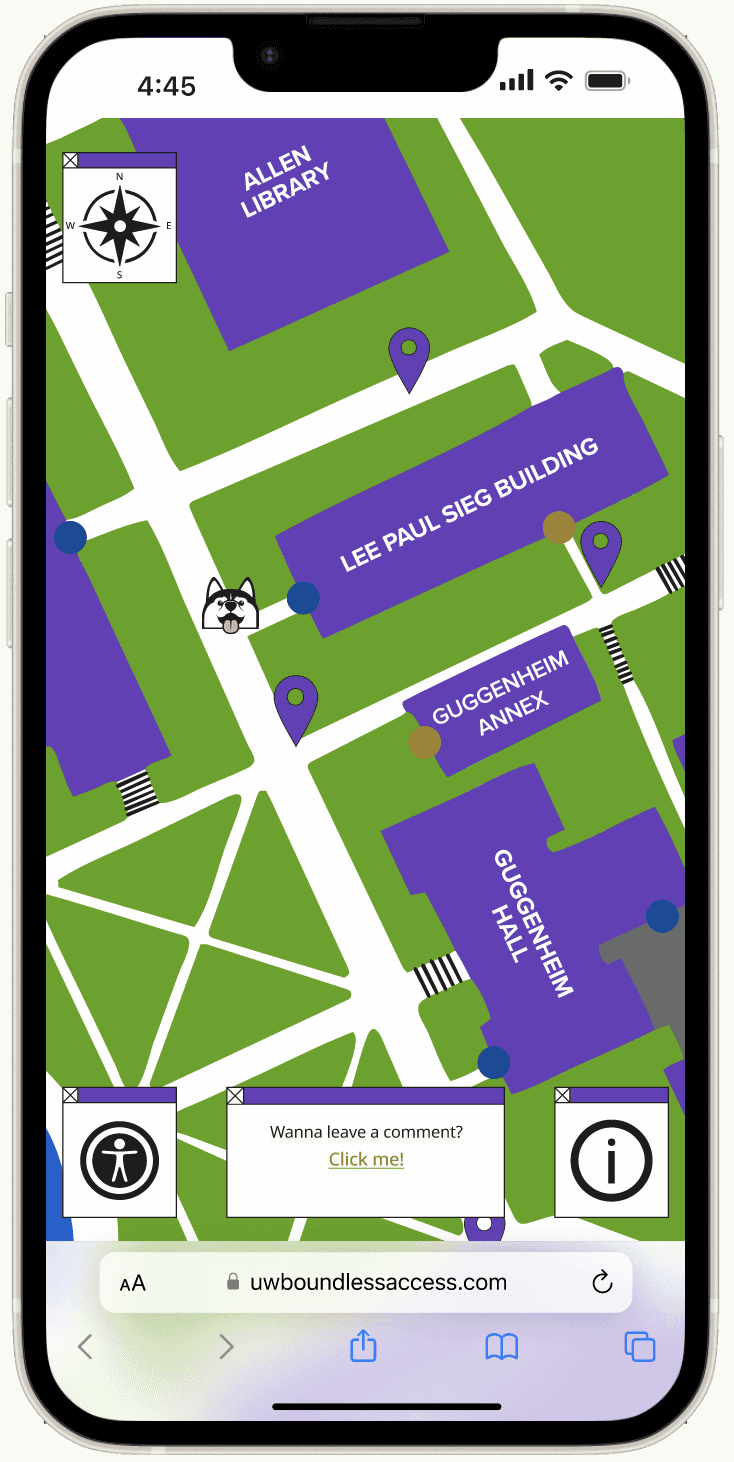
Solution: Added an image to represent the user on the map.
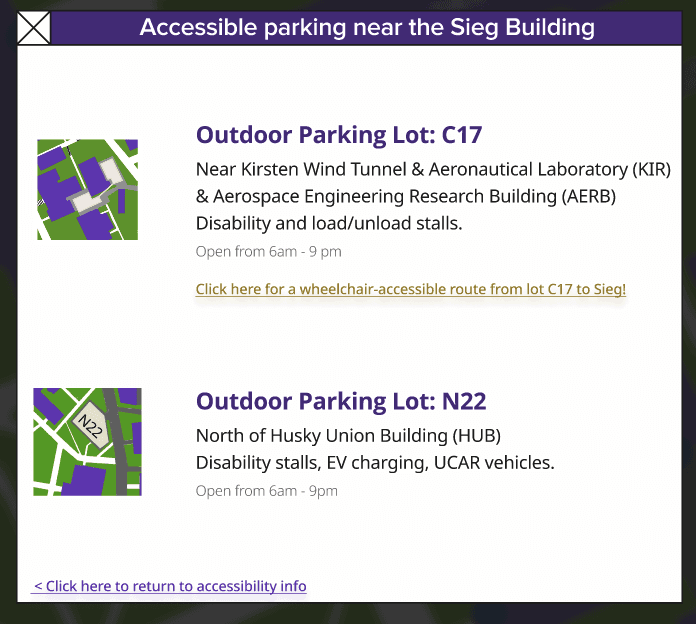
2 of 3 users desired more specific information surrounding accessible parking on campus.
Participants 1 and 2 desired a more in-depth descriptor of the accessible parking on campus, particularly within our larger map. As one participant put it, “Parking wasn’t labeled on the map.” As there are over 20 parking lots just on the main campus alone, it’s important for our users that they are both properly labeled as well as designated for what is outside or inside and what is truly accessible for those with physical disabilities.
Solution: Added accessible parking and a distinction between the indoor and outdoor parking spots.
It is important to center our users with every facet of the design logic.
Participants 1 and 2 specifically critiqued our uses of color and/or iconography and how that relates to the language of accessibility, especially how we as a team were unconsciously centering able-bodied users over our target audience. This implicit bias was especially seen in our original sketches of accessibility symbols, as one participant stated, “Toilet wheelchair symbol is confusing. Symbols are about accessibility not about the able body.” and another stated, “Don’t prioritize branding colors prioritize functionality.”
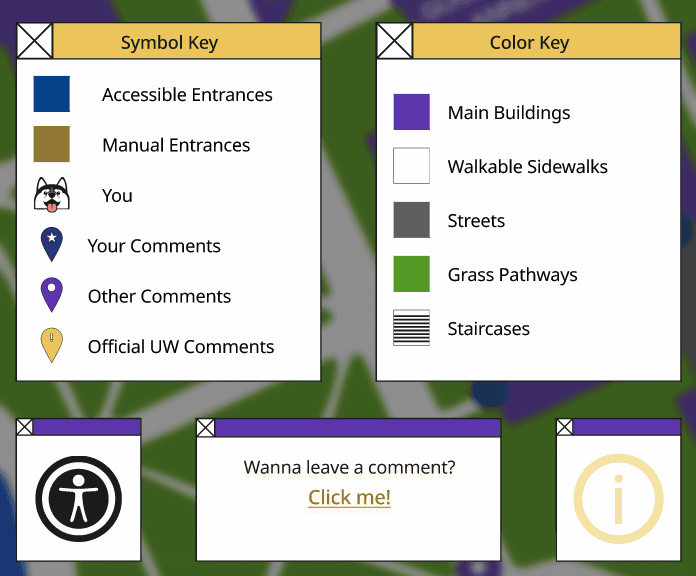
Solution: Re-center our target audience by lowering the barrier to entry, improving our iconography to better center those with physical disabilities, and adding simple keys and explanations where needed to ensure that users with physical disabilities aren’t alienated by our design choices.
High Fidelity Prototype
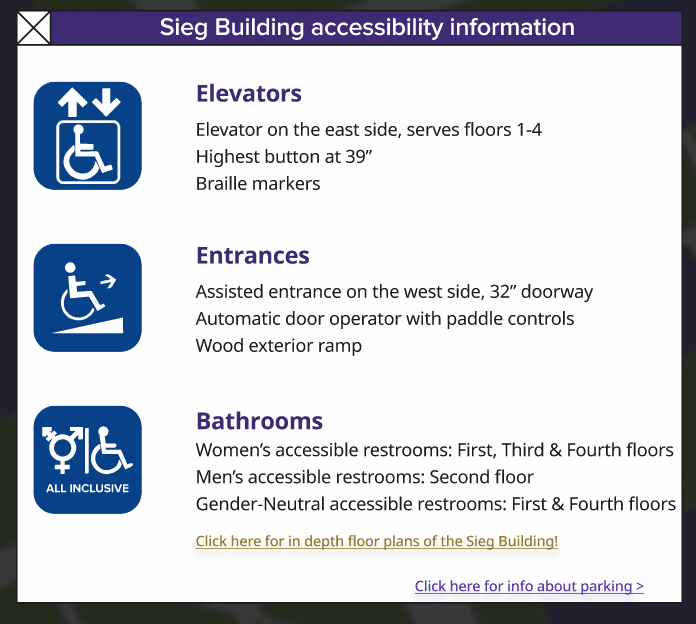
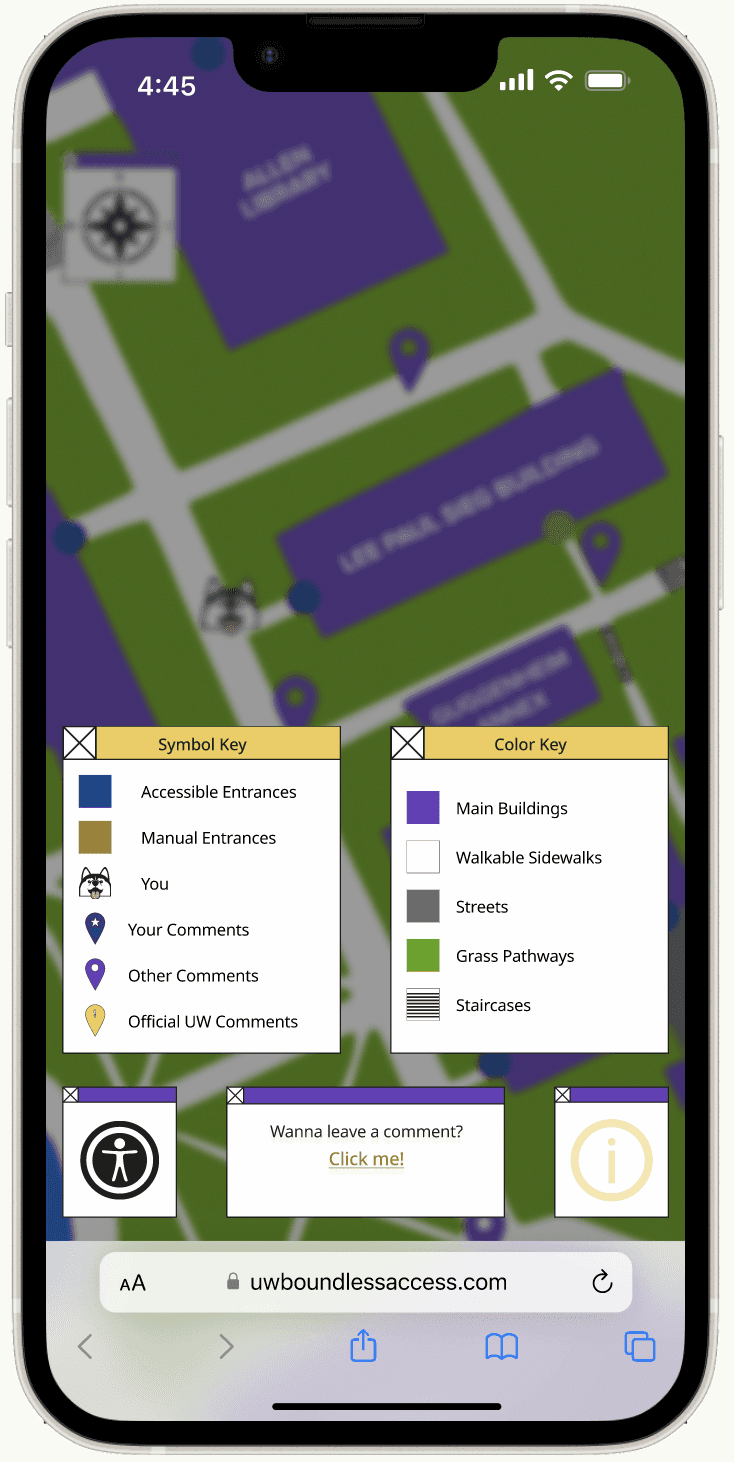
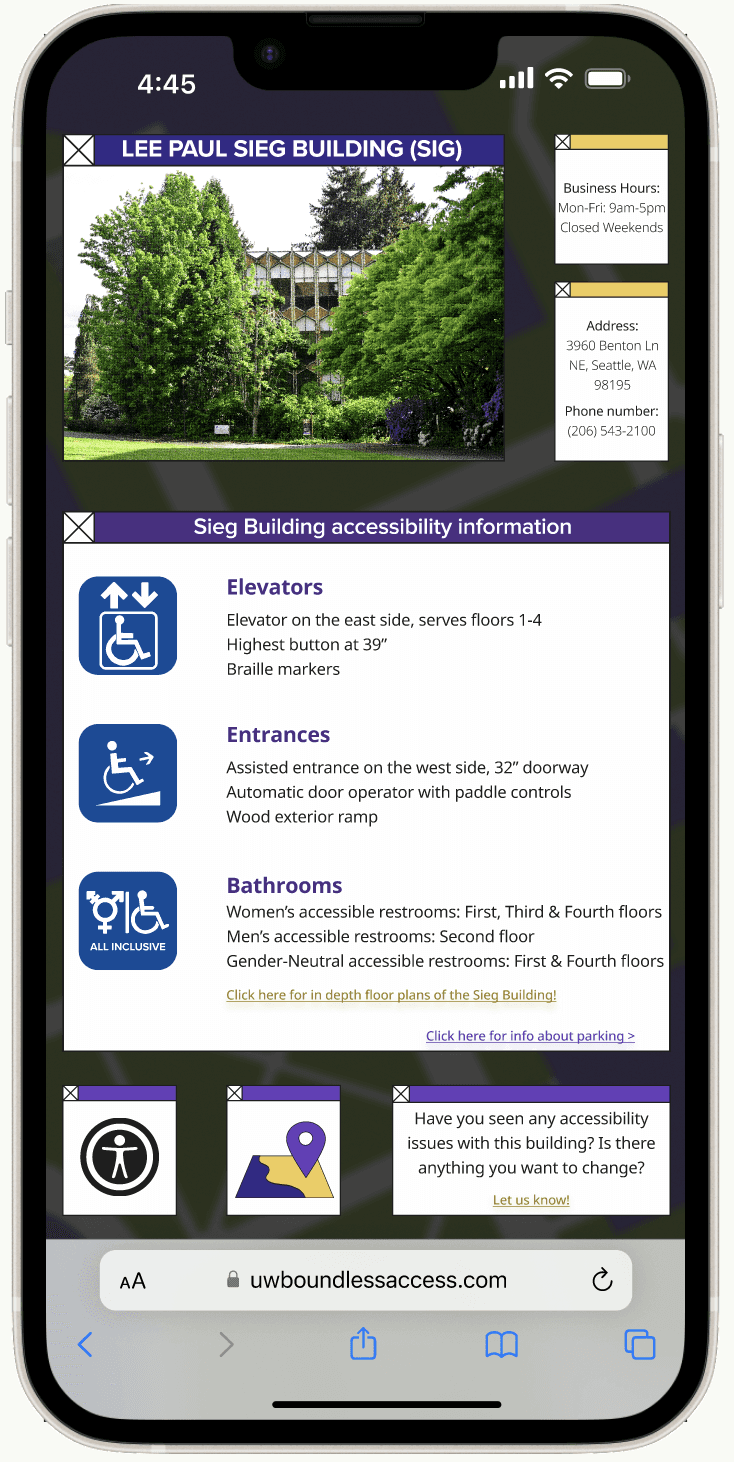
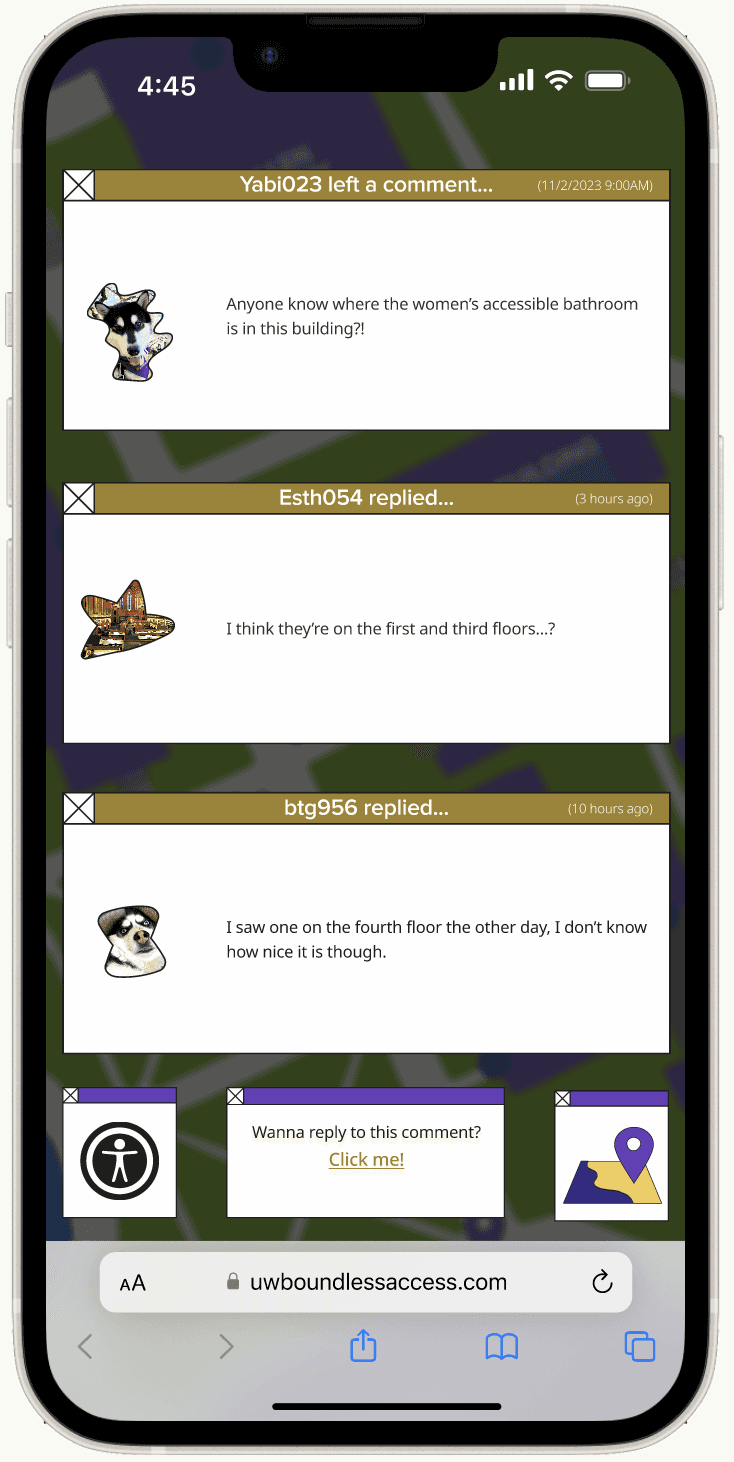
For the final iteration, I created an all-in-one website with feedback examples and a clear walk-through of the accessibility information of the Sieg Building, with updated iconography, and a fully developed design system. I iterated on the feedback provided by the usability testing. For this prototype, you are Sarah, or Boundless938, a University of Washington student who frequents the building.
Takeaways
Teamwork As this was my first team project as a UX designer, and in a larger scale this was my teams first design project ever. I learned that it’s important to notice and work around their strengths of all of your team members, and to allocate work appropriately to ensure that each member has the opportunity to learn something new.
Prioritization & Allocation I dedicated significant attention to the aesthetics of the project, particularly around screen printed styles and heavy comic-styled assets. However, this resulted in the project feeling overly dense and challenging to comprehend from a distance, posing an accessibility issue. If I were to undertake this project again, I would shift my focus to improving the accessibility of the mockup, particularly regarding the colors and font sizes.
Next Steps
I wish to continue iterating on this project, especially with it’s visual design and language. It’s current visual language feels busy for a design centered around accessibility and usability. I would also continue to develop the functionality around the map and accessibility options, adding mockups for how these options would feasibly be implemented in the final products.